Fine-tune a model with LoRA or QLoRA
Fine-tuning on kvrun trains an adapter: a small set of weights learned on your data while the base model stays frozen. The GPU runs only until training finishes, then shuts itself down and writes the adapter to your storage.
Prepare the dataset first
Upload your training file to Storage before you start, as JSONL, one example per line. The picker in the wizard reads from the same place, so anything already in your workspace is available without re-uploading.
Step 1: configure the run
Open New fine-tune from the Training page. Pick the base model, the method, the dataset and the number of epochs.
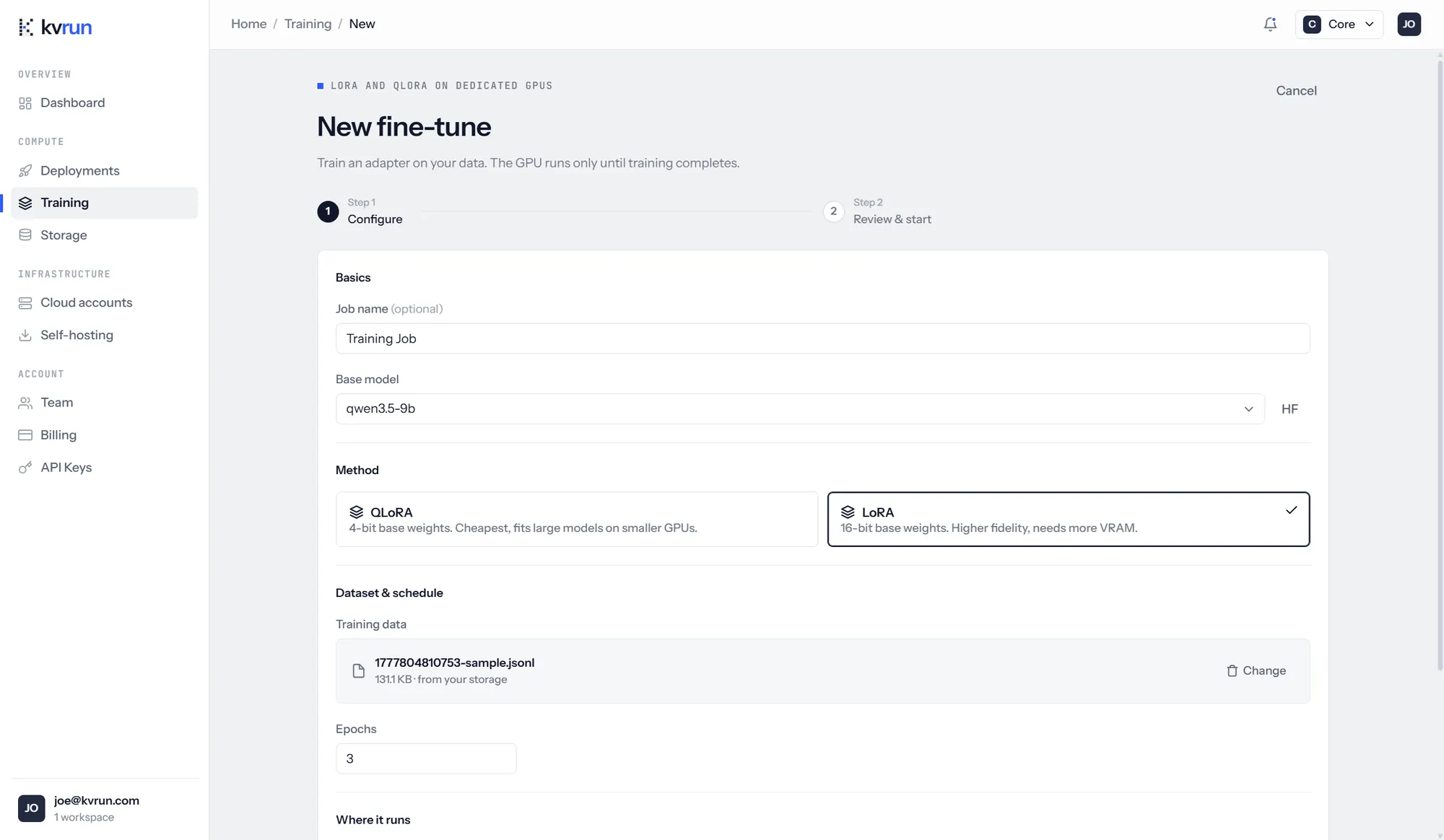
| Method | Base weights | Use it when |
|---|---|---|
| QLoRA | Quantised to 4 bits | You want the cheapest run, or a large model on a smaller GPU |
| LoRA | 16 bits | You want the higher-fidelity result and can pay for the VRAM |
Three epochs is a sensible starting point for most instruction datasets. More epochs cost proportionally more and, past a point, overfit.
Step 2: review the cost, then start
Before anything runs you are shown the GPU it needs, the VRAM that requires, where it will run, an estimated runtime and the cost that implies.
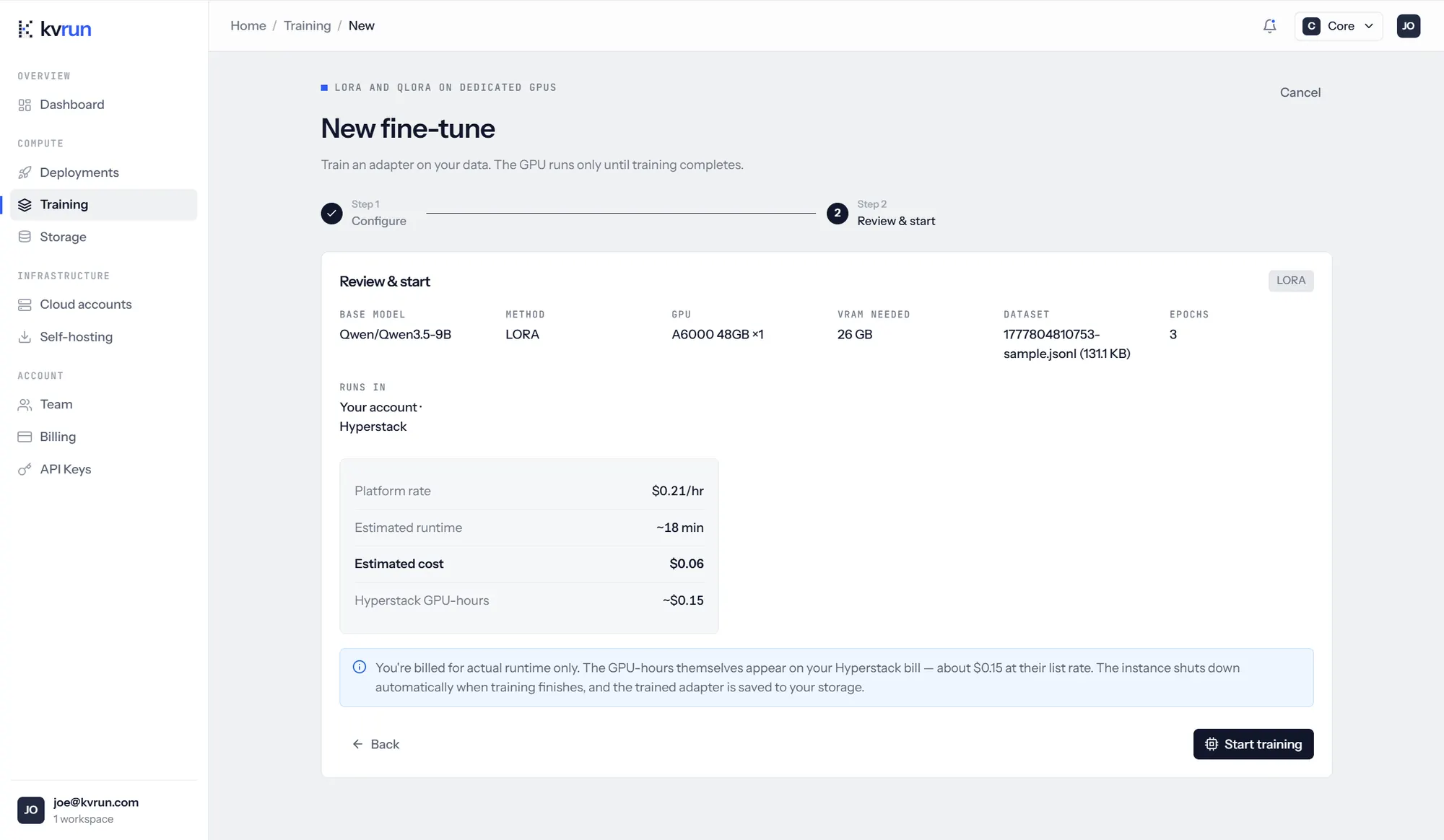
When the job runs on a connected cloud account, as the run above does, the panel splits the two bills: kvrun charges the platform rate for the runtime, and the GPU-hours appear separately on your provider's invoice at their list rate. On the managed fleet there is one figure, because there is one bill.
The estimate is an estimate. You are billed for the runtime the job actually uses, which is why a job that finishes early costs less than the figure shown here.
Watch the run
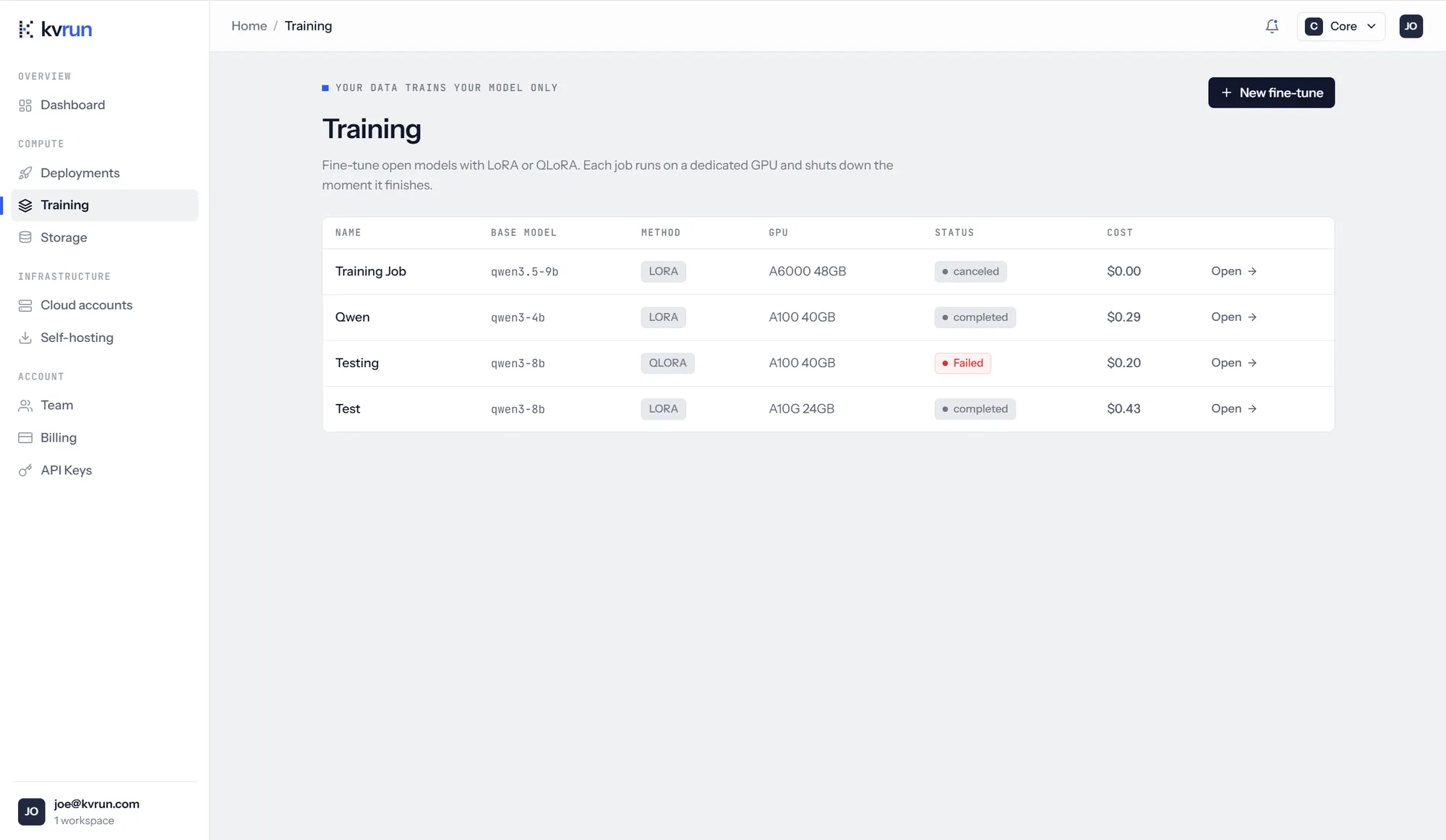
The Training page lists every job in the workspace with its base model, method, GPU, status and what it cost. Jobs that fail or are cancelled stay in the list with what they had spent at the time; nothing keeps running after either.
Collect the adapter
Open a finished job for its full record: the configuration it ran under, how long it took, what it cost, the final loss, the loss curve across logged steps, and the adapter archive itself.
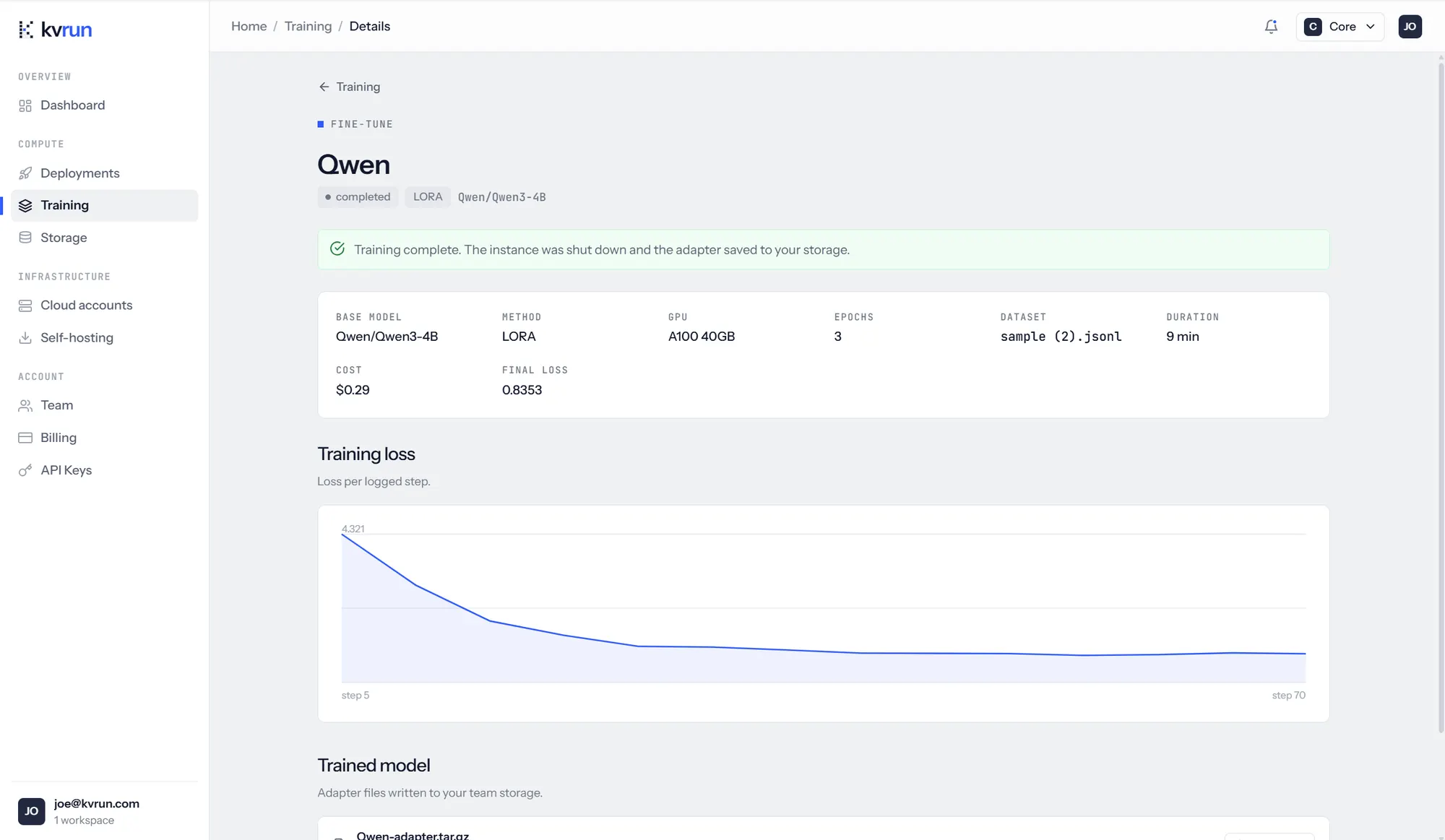
The adapter is written to your workspace storage and stays there. Download it if you want to run it elsewhere, or leave it and deploy it from here.
Deploy the result
A finished fine-tune becomes a choice in the new deployment wizard. The deployment serves the base model with your adapter loaded on top, and is labelled as fine-tuned on its detail page, with the base model named beside the served one, so nobody has to guess later which weights answered a request.
Every run also holds out a split, scores the model against it, and keeps the verdict with the weights, which is the evidence the EU AI Act asks for about how a model was evaluated.
Questions
- What format should the dataset be in?
- JSONL, one training example per line, uploaded to your workspace storage before you start.
- Does the GPU keep running after training?
- No. The instance shuts down the moment the job finishes, and the adapter is written to your storage first.
- Can I fine-tune a model I already fine-tuned?
- Train a fresh adapter against the same base model rather than stacking adapters. Keep both runs, so you can tell which one produced which deployment.
- Is my training data used for anything else?
- No. It stays in your workspace storage, encrypted, and is used by the job you point at it and nothing else.